Comic
Fay's Diary Comic
Kanji Transformer Series
Our Android Apps
Paper Toy
Animation
Dharma Cartoon
Figure Photo Collection
Flash Game
Old Work
Game & Software
About Us
Links
Ataya's Embedded Systems Blog
Green Tea Story
Green Tea Story
Play with BeagleBoneBlack
Studio Wallpaper & Sticker
Studio Wallpaper
Studio Wallpaper
The Sky Flower & The Temple Dog
Date : Monday,26 December 2016
Writer : Ataya P
My digital Canon camera is too cheap to use USB remote shutter. So, I decided to hack my camera to be able to use that function. Let's see how to do it ..
Detail
1. Format camera's sdcard and make ver.req and vers.req file with this command
# touch ver.req
# touch vers.req
2. Insert sdcard back to camera. turn on camera and press [func set] and [disp] buttons at the same time. the firmware version will be display.
3. Download CHDK firmware that match with the camera original firmware from CHDK website
http://chdk.wikia.com/wiki/Dow nloads
4. Extract and copy all files into formated sdcard.
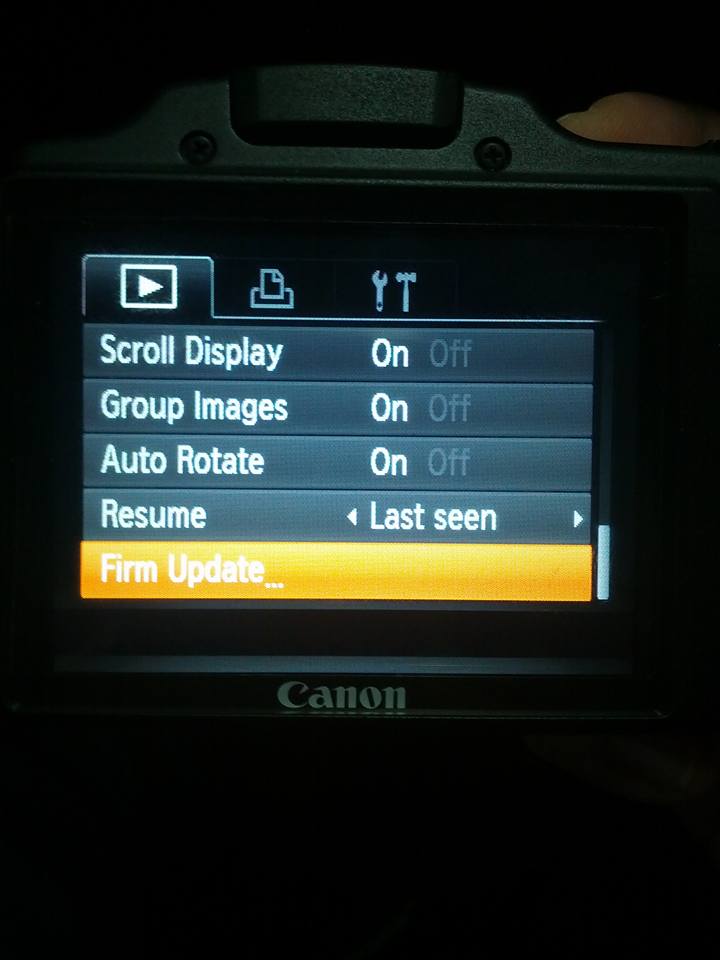
5. Insert sdcard back to camera and press [play] button to turn on the camera then select menu to update the firmware. *** Note that you need to do this every time you turn on the camera. It doesn't permanent update.
6. After updated the firmware, now you can use all CHDK functions. Let's play some games...
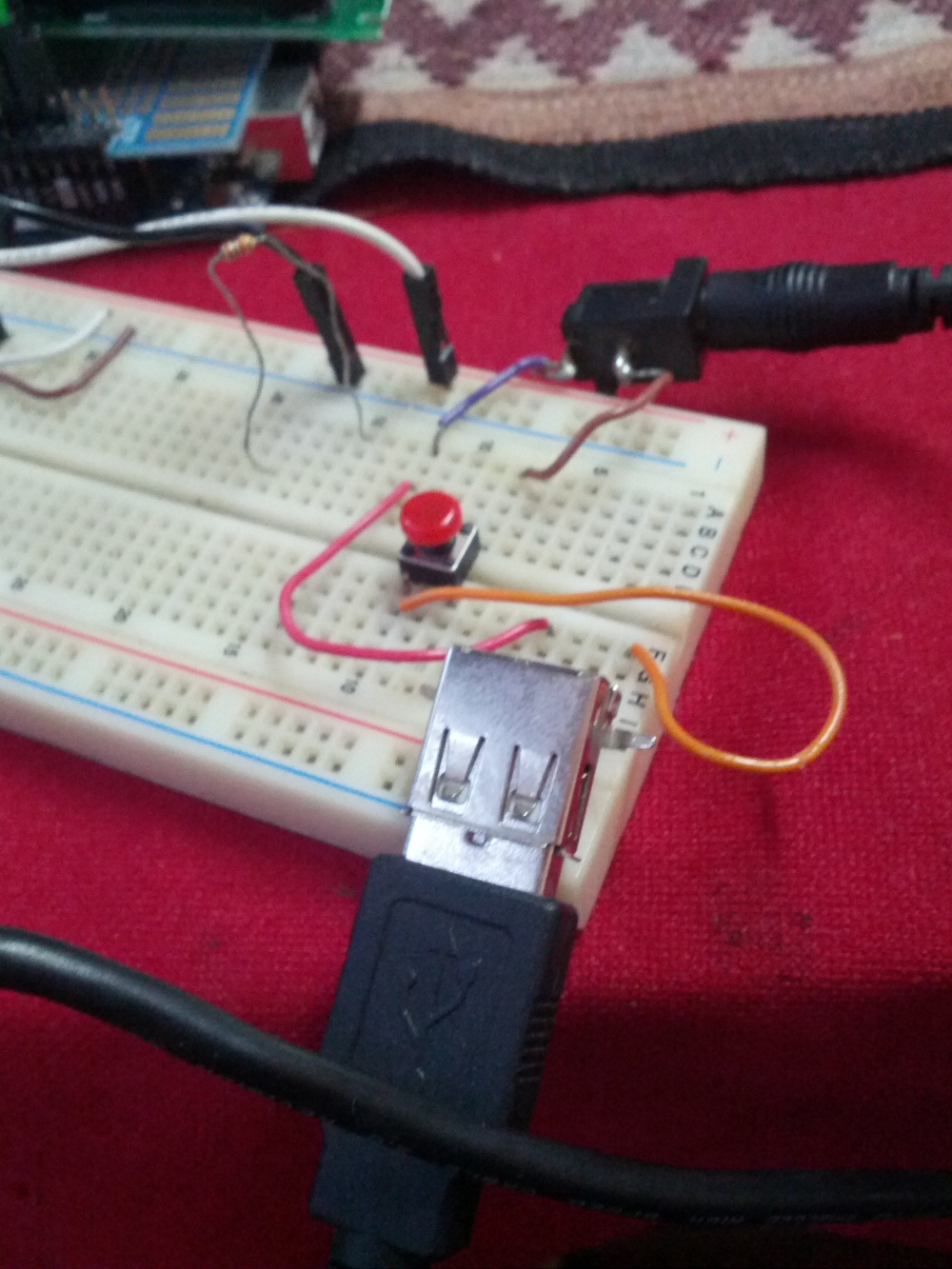
7. Next, let make USB remote shutter by using mini-USB cable to connect between camera and push switch as schematic below.
8. Connect USB cable with the camera then set the Remote Parameters -> Enable remote
9. Push switch to take photos. Cheese !!
Writer : Ataya P
My digital Canon camera is too cheap to use USB remote shutter. So, I decided to hack my camera to be able to use that function. Let's see how to do it ..
Detail
1. Format camera's sdcard and make ver.req and vers.req file with this command
# touch ver.req
# touch vers.req
2. Insert sdcard back to camera. turn on camera and press [func set] and [disp] buttons at the same time. the firmware version will be display.
3. Download CHDK firmware that match with the camera original firmware from CHDK website
http://chdk.wikia.com/wiki/Dow
4. Extract and copy all files into formated sdcard.
5. Insert sdcard back to camera and press [play] button to turn on the camera then select menu to update the firmware. *** Note that you need to do this every time you turn on the camera. It doesn't permanent update.
6. After updated the firmware, now you can use all CHDK functions. Let's play some games...
7. Next, let make USB remote shutter by using mini-USB cable to connect between camera and push switch as schematic below.
8. Connect USB cable with the camera then set the Remote Parameters -> Enable remote
9. Push switch to take photos. Cheese !!
- ataya_p's blog
- Login to post comments
Custom Search